
Meetings
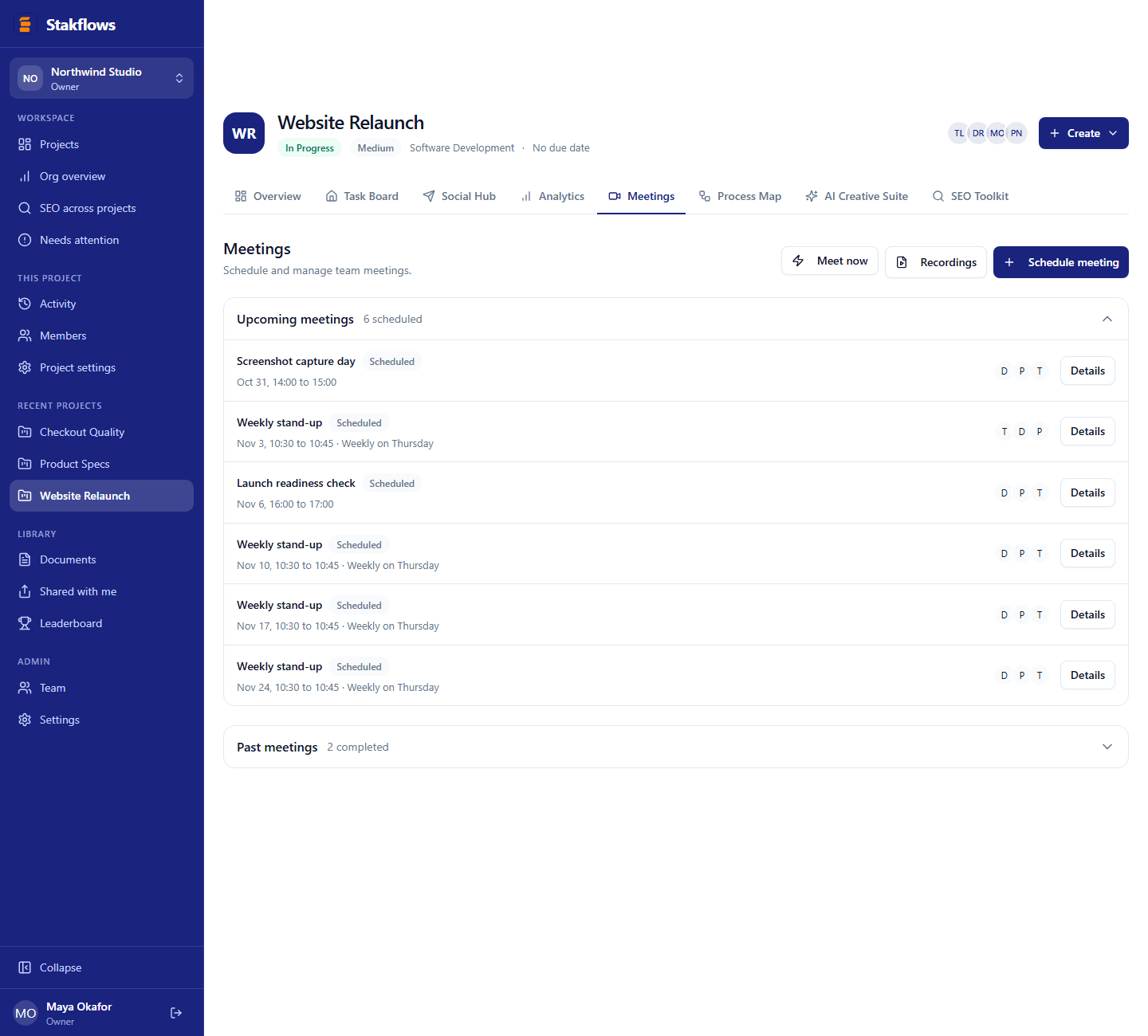
Available, growingSchedule, hold and record team meetings inside your project, with video on Zoom.
Who it is for
Built for project teams and distributed teams that want meetings, their recordings and the work they lead to in one place.
What you can do today
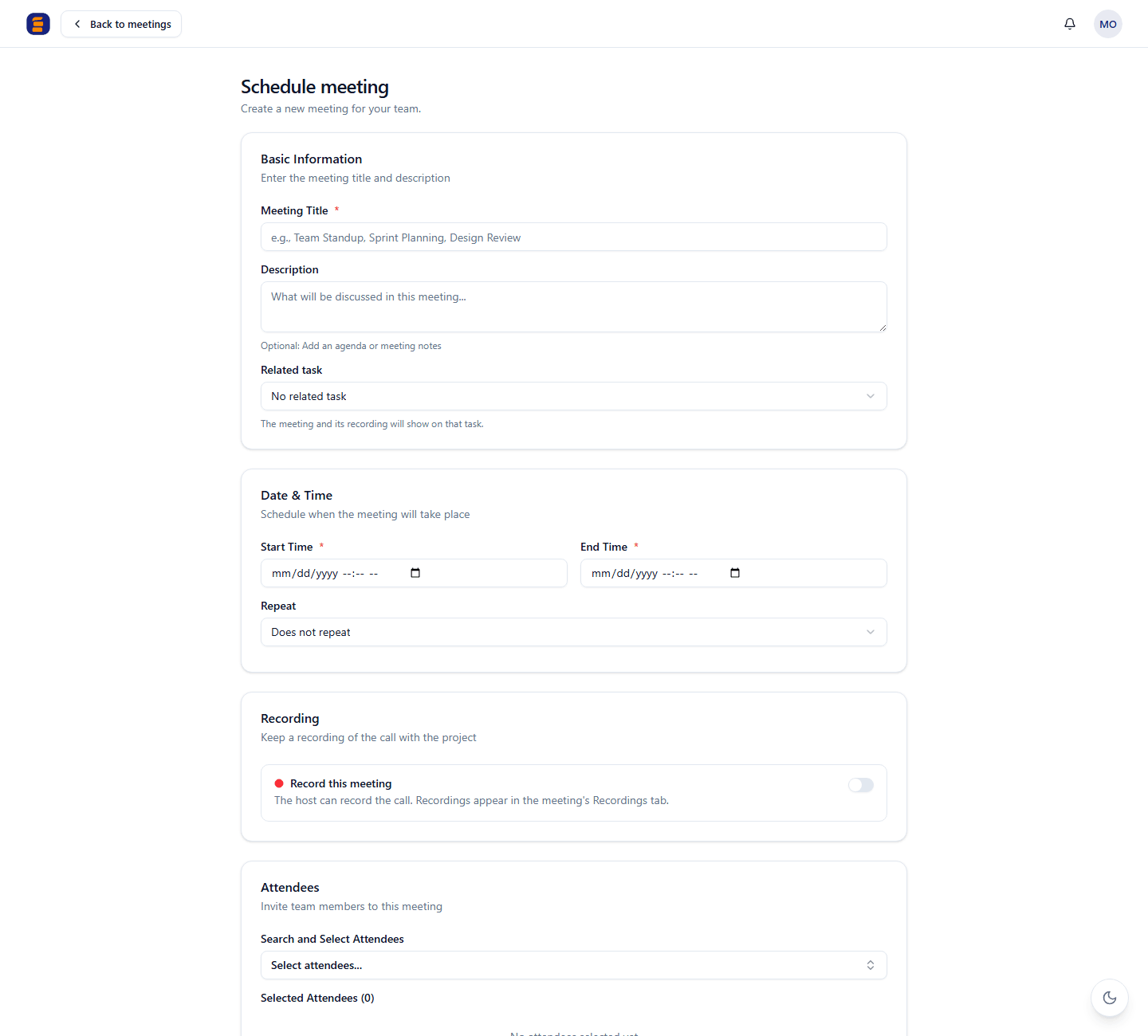
Schedule a meeting in your project
Give a meeting a title and agenda, pick a time, choose how often it repeats, turn recording on and invite your team. Attendees accept or decline.
Upcoming meetings, and Meet now
See what is coming up, including repeating meetings such as a weekly stand-up, and look back at past meetings. Start one straight away with Meet now.
Link a meeting to a task
Attach a meeting to a task. The meeting and its recording then show on that task.
Video on Zoom, joined from your browser
Join from your browser, with a lobby to check your camera and microphone first. Video runs on Zoom, and Meetings has to be turned on for your project.
Recordings you can find again
Record a meeting and find it later in the Recordings tab, where you can view or download it. Recording is on Business and above.
Summaries and action items
On plans with AI access, a recording can get a transcript, a summary and suggested action items, and you can turn an action item into a task. Each use draws on your AI credits.
How it works
- 1SchedulePick a time, a repeat pattern and your attendees, and link a task if there is one.
- 2JoinOpen the meeting from your project, check your camera and microphone in the lobby, and join.
- 3RecordTurn recording on for the meetings you want to keep.
- 4Follow upFind the recording, read the summary, and turn action items into tasks.
AI in this tool
On plans with AI access (Pro and above), a recording can get a transcript, a summary and suggested action items. You choose which action items become tasks.
AI does not join your meeting or create tasks on its own. Each use draws on your organization's shared monthly AI credits.
Works with
Plans
- Meetings: available from the Free plan
Scheduling, invitations and video meetings are part of every plan. Recording starts on Business, and recordings are kept for 180 days on Business and without limit on Enterprise. AI summaries need a plan with AI access and a recording.
Questions
Which video service do Meetings use?
Zoom. You join from your browser, and Meetings has to be turned on for your project.
Which plans include recording?
Business and Enterprise. Recordings are kept for 180 days on Business and without limit on Enterprise.
Can I repeat a meeting?
Yes. Choose daily, every weekday, weekly or monthly when you schedule it.
How do summaries work?
On plans with AI access, a recording can get a transcript, a summary and suggested action items that you can turn into tasks. Each use draws on your organization's AI credits.